
Talk to your Network
Using MCP to communicate with your systems

This week, I had the pleasure of presenting at the Wi-Co Meetup in NC. I haven’t spoken in front of an audience in a long time, and I’m not going to lie, I got super nervous. I’m not completely sure that I said everything I wanted to say, so I’m going to drop it into a platform that I feel much more comfortable with… writing. Enjoy…
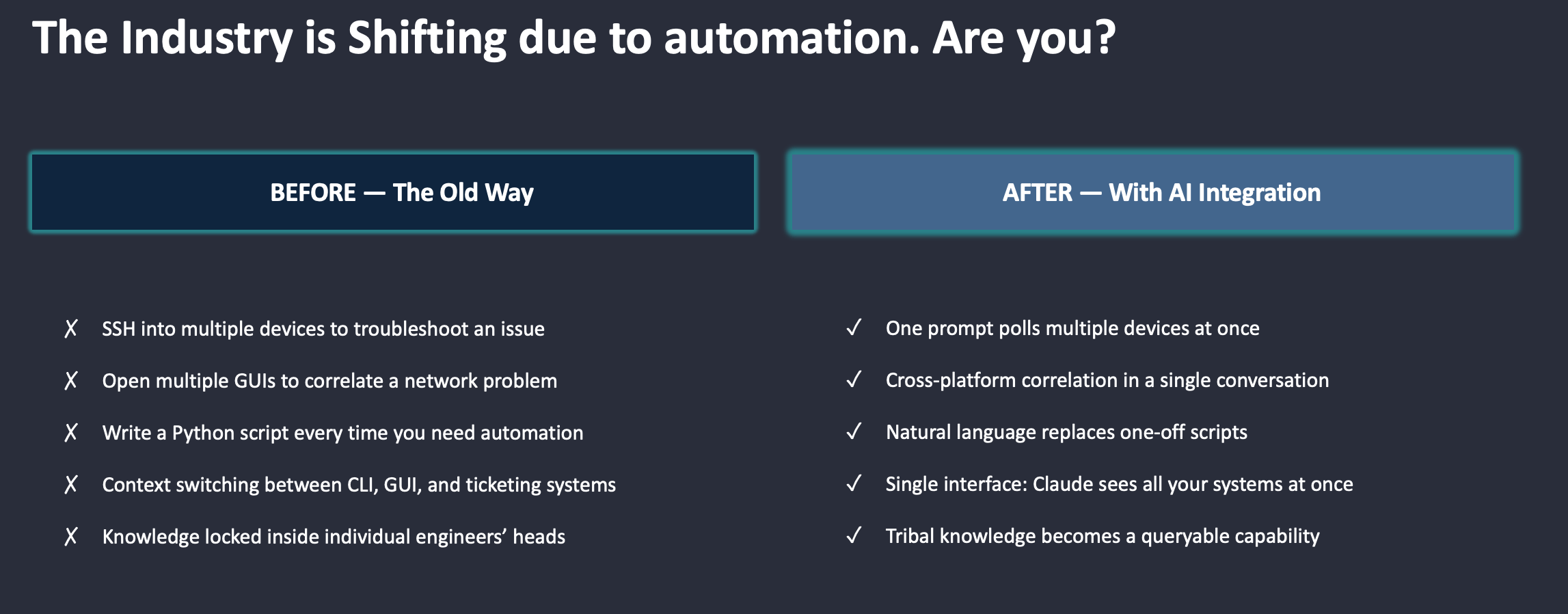
The network engineering industry is shifting. A number of the engineers I work with are constantly in firefighting mode, responding to tickets, and reacting to random client complaints. To work on these issues, they are logging into multiple devices or opening multiple GUIs to correlate data and hopefully determine the root cause. Another issue I’ve personally faced is the lack of shared knowledge. I’ve worked on some high-performing teams with amazing engineers, but we failed to share our knowledge and acted as top-end individual contributors. There has to be a better way to interface with our systems and our teams. I believe this is one of the tangible benefits AI can provide today. I’m not a software engineer. I don’t want to be a software engineer. But I want to make the best use of my time and spend my resources on what matters.
To start down this path, we need to first look at recent history to see how we got to the current state. Artificial Intelligence isn’t a new technology. John McCarthy coined the term back in the 1950s, and the technology has been on a roller coaster ride ever since. AI finally went mainstream in late 2022 with the launch of ChatGPT, which enabled humans to chat with an AI model using natural language and hopefully get a useful response.
So what is a large language model (LLM)?
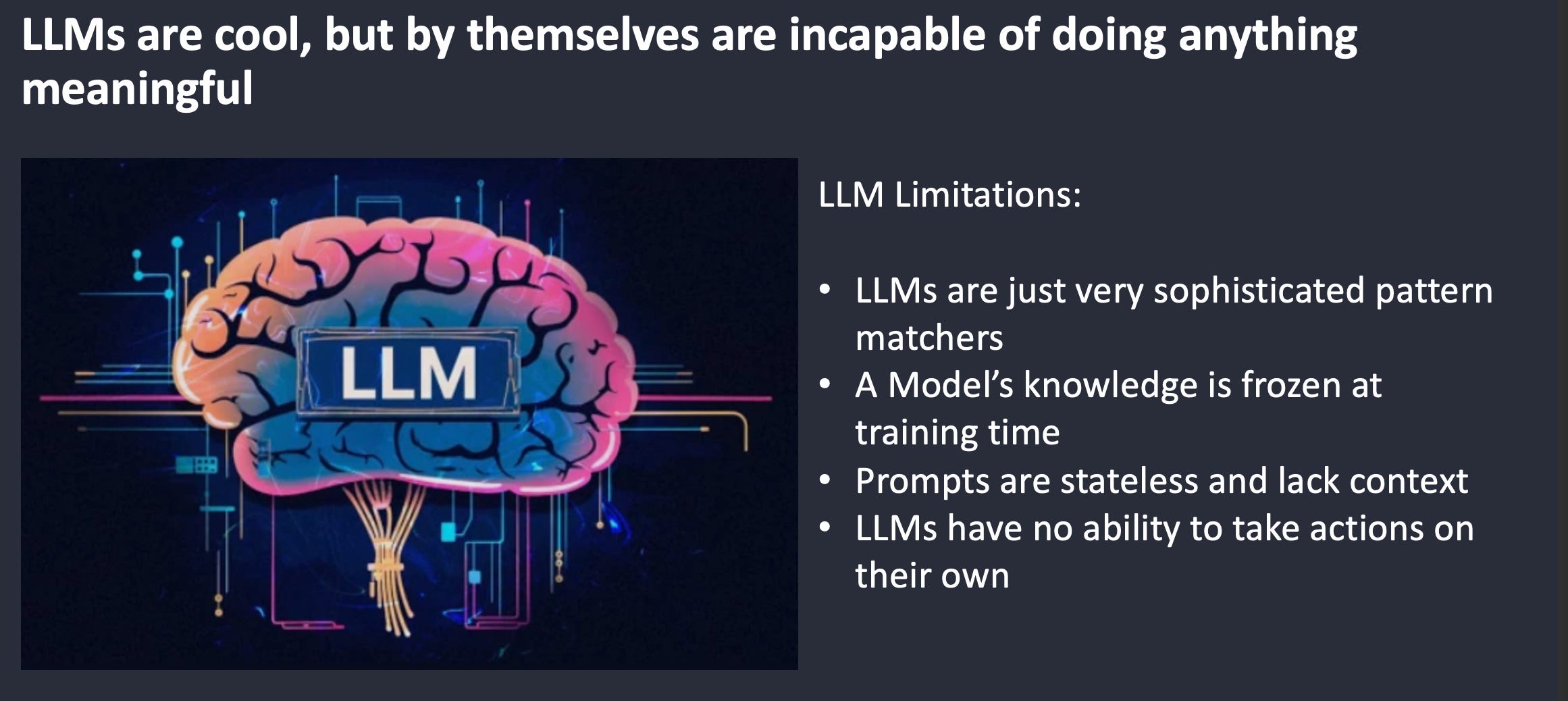
A Large Language Model (LLM) is a type of Artificial Intelligence system trained on enormous amounts of data, allowing it to understand and generate human language. LLMs are an amazing technology that has unlocked unlimited opportunities. But LLMs by themselves are just very sophisticated pattern matchers. The model is trained on a limited snapshot of data that is cut off at a certain time, so its knowledge is frozen at training time. An LLM doesn’t have access to real-time telemetry from live systems. When interacting directly with an LLM, each prompt is stateless and lacks context or history. LLMs also lack the ability to take action on their own. This means they can’t query APIs or trigger workflows on their own. An analogy I use in networking engineering is comparing an LLM to a Tier-3 engineer who has been on vacation for 12-18 months. The engineer will not have been exposed to any changes in technology while they were out. The engineer also doesn’t have the ability to log into any network devices to perform real-time debugging. The engineer is still a great engineer, but without context and the ability to access real-time information, they will struggle to fix a live, real-world issue.
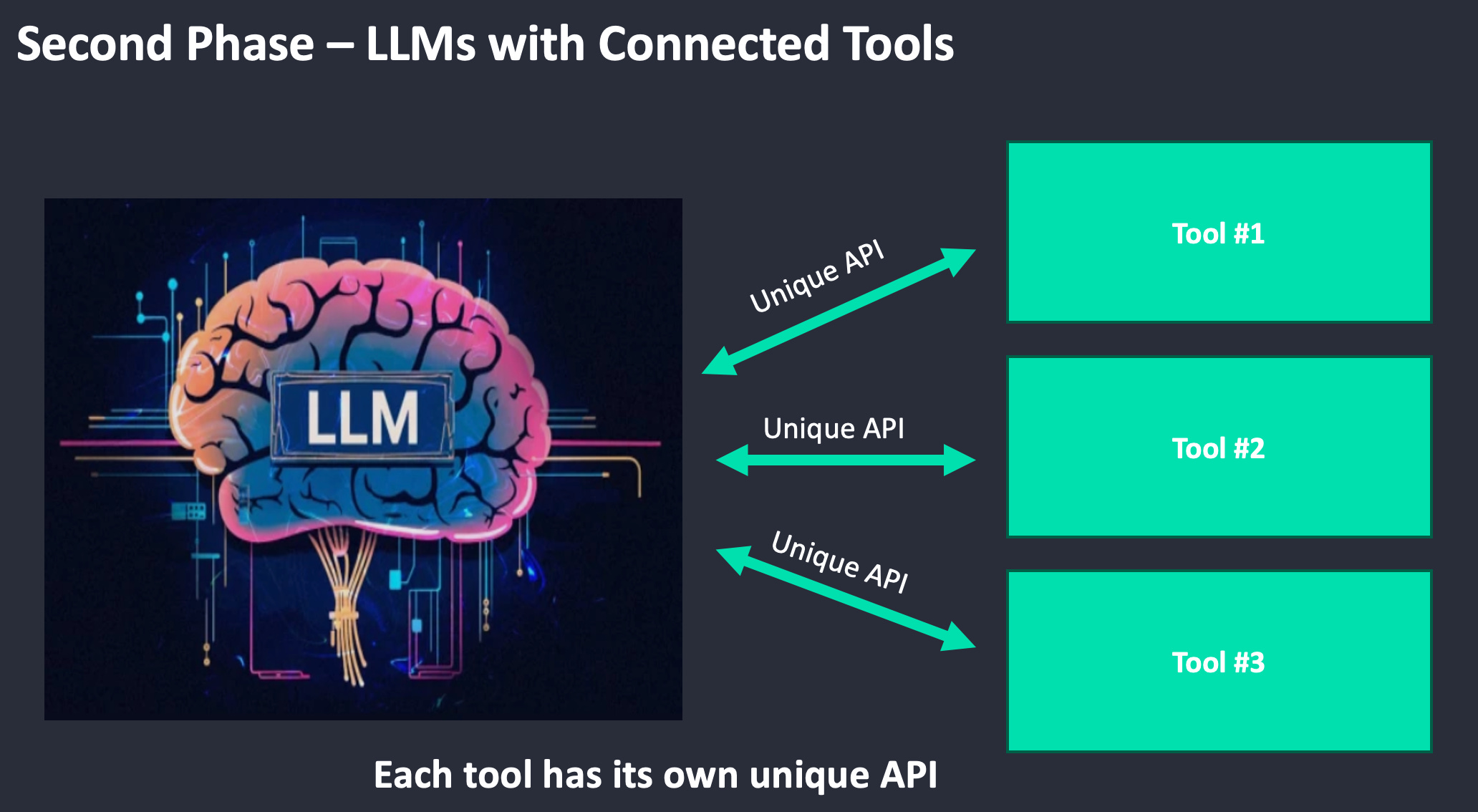
In Phase 2, we see the introduction of tools that integrate directly with the LLM. The tools are designed to interact with a specific system and perform specific tasks. This allows the LLM to perform tasks such as fetching information. The issue with Phase 2 is that every tool has a unique way of connecting to the LLM. Each tool will have a unique API, authentication mechanism, and schema. The good news is that we have made LLMs much more useful, but the process of interacting with them is still cumbersome. So how can we make the interaction easier to manage? That is where MCP comes into play.
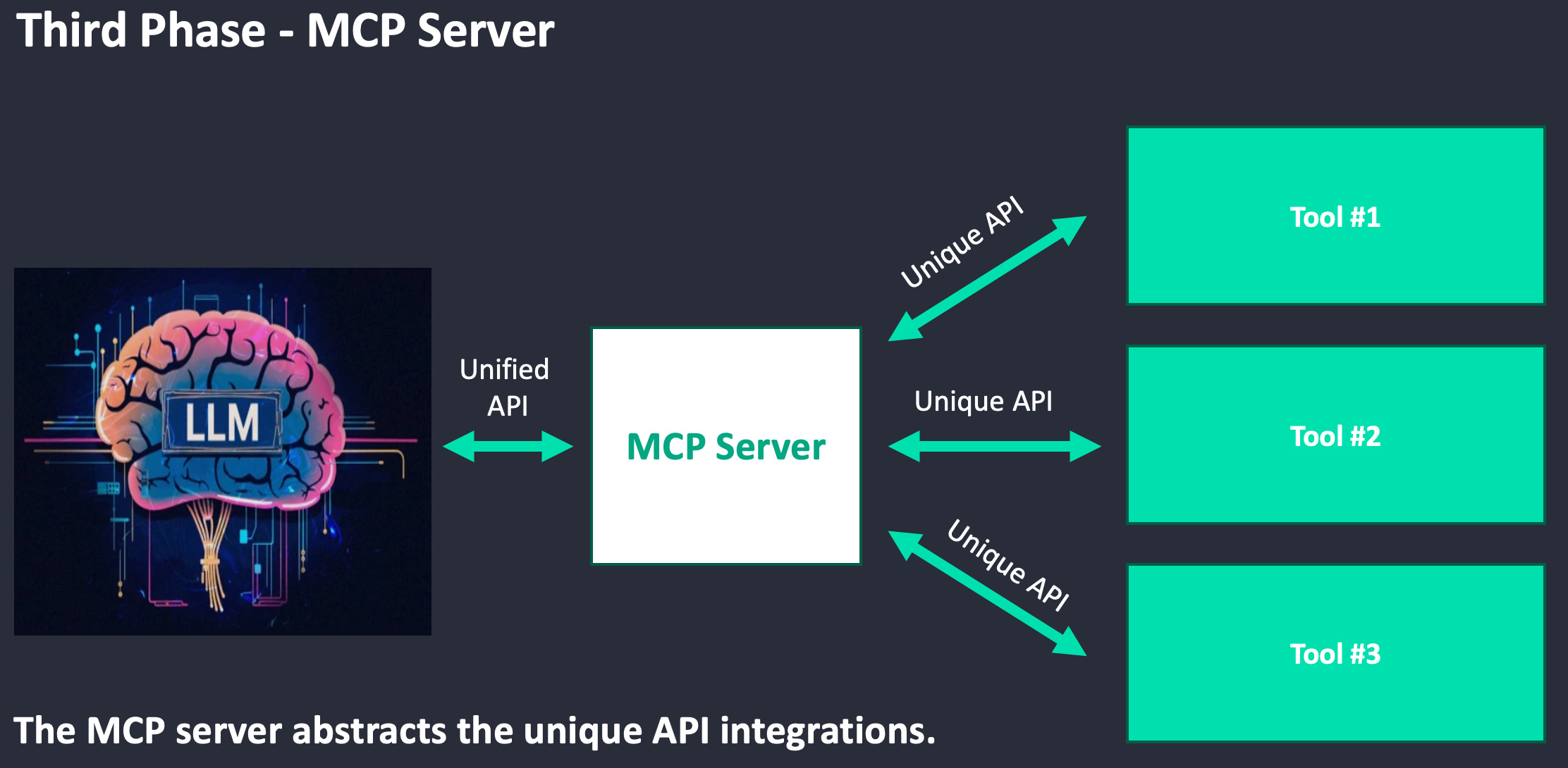
In Phase 3, Model Context Protocol (MCP) servers establish connections between the tools and the LLM while abstracting each tool's unique API integrations. So let’s dig into MCP.
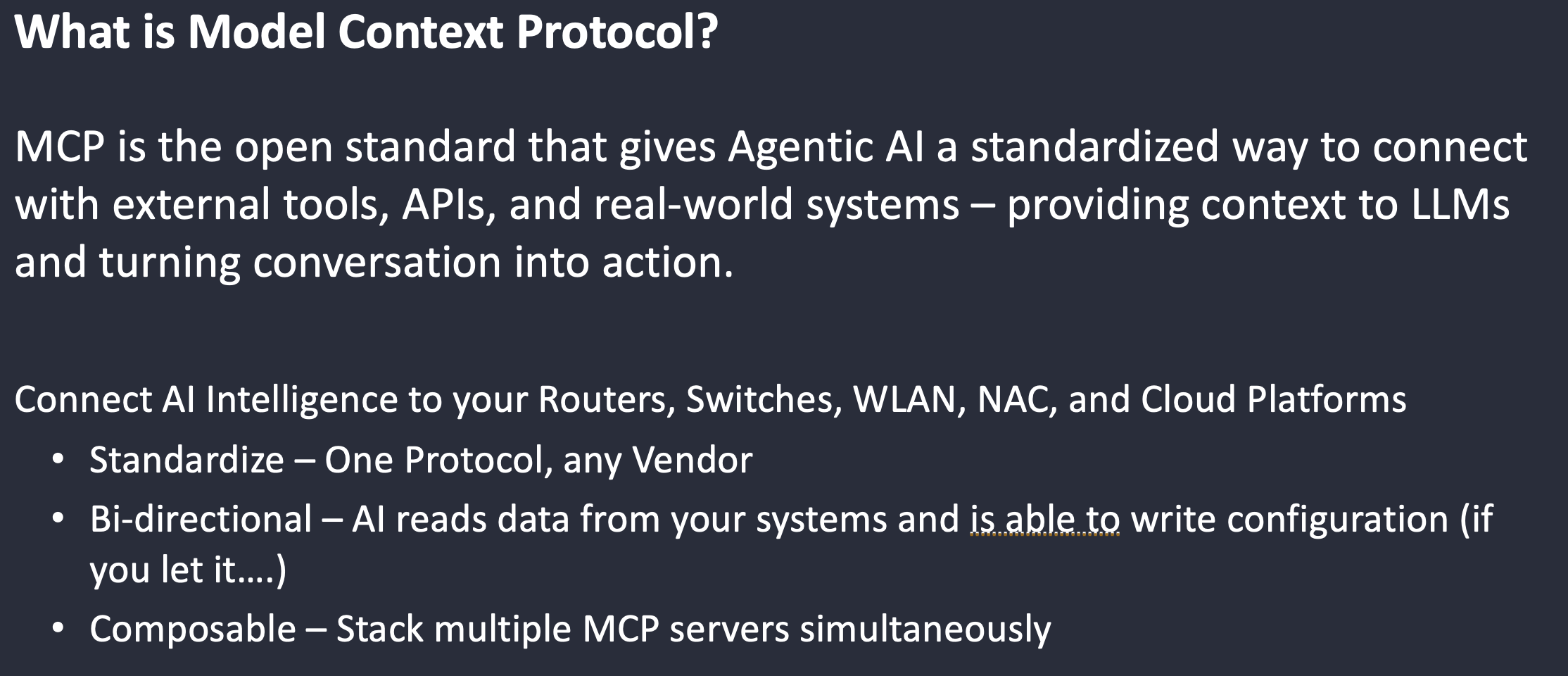
Model Context Protocol (MCP) is an open standard developed by Anthropic that provides Agentic AI systems with a standardized way to connect to external tools, APIs, and real-world systems. This allows LLMs to access the context they need to turn natural language into action. In network engineering, the MCP server allows us to have a shim in between our AI systems and our network devices. The MCP server will also enable bidirectional communication between the network devices and the LLM if we are brave enough to do so. The final benefit is that the MCP standard is composable, making it easy to stack multiple MCP servers to operate across a variety of systems simultaneously.
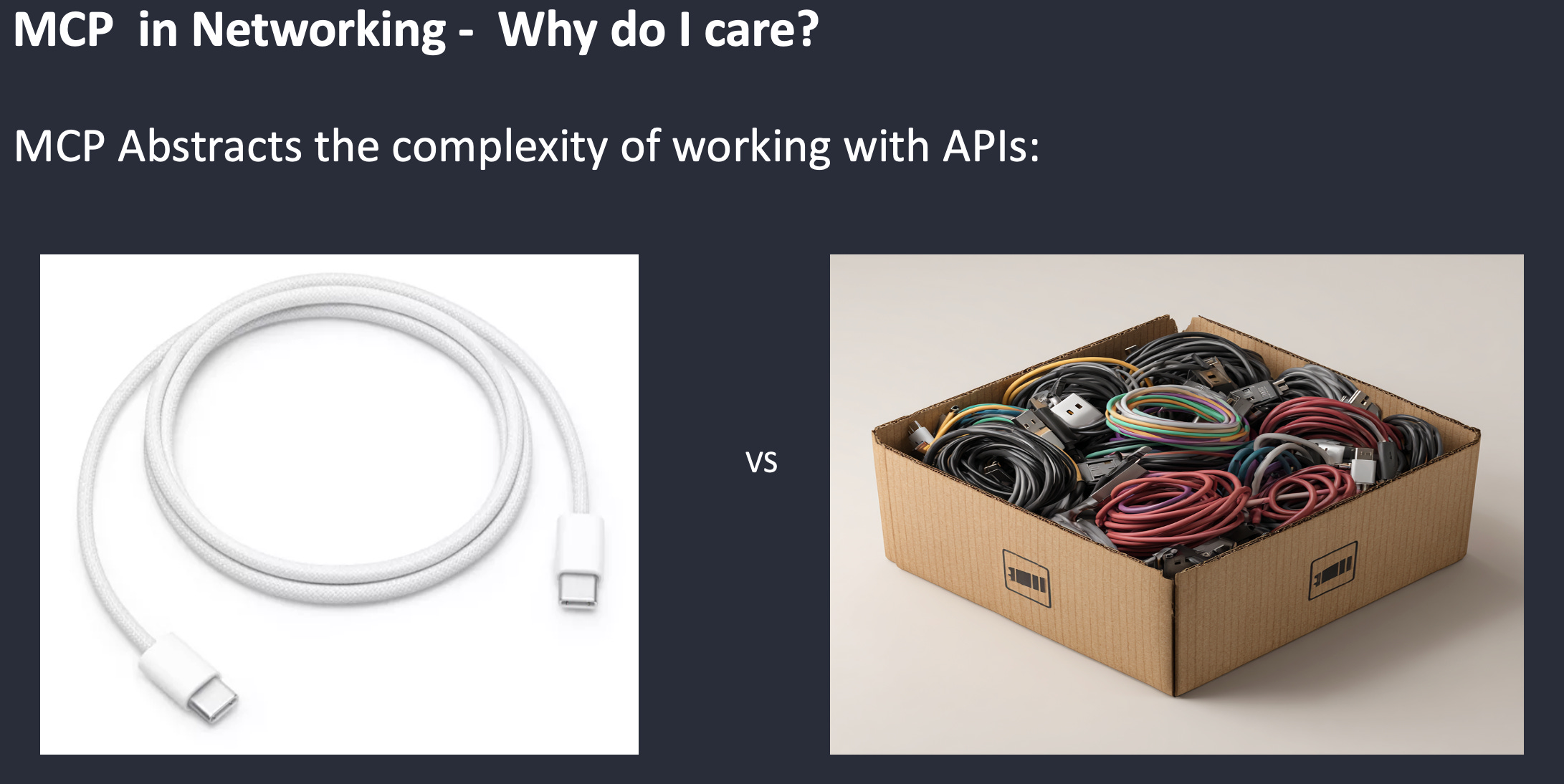
The most popular analogy to explain the purpose of MCP servers is a USB-C connector. As a network engineer, I’m 100% sure you have a box of random cables sitting in your closet with 100 different connectors for things that you don’t even use anymore. USB-C defines a single physical and electrical standard, so any USB-C-compliant device can plug into any USB-C-compliant port. MCP defines a single protocol standard so that any MCP-compliant AI tool server can connect to any MCP-compliant AI model. Build the server once and connect to the systems you need access to.
Now that we have defined what an MCP server is and how it works, let's dig into use cases.
In my lab, I’m using an MCP server that was created and maintained by a co-worker. This MCP server allows you to connect with the HPE Networking Mist and Central dashboards, Clearpass, Apstra, and even Aruba AOS8 infrastructure. Here is a link:
The MCP server typically includes custom skills for interacting with the LLM. I like to use the canned Morning Coffee Report that allows me to get a quick high-level overview of all of my systems to see if there are any critical issues that I need to address:
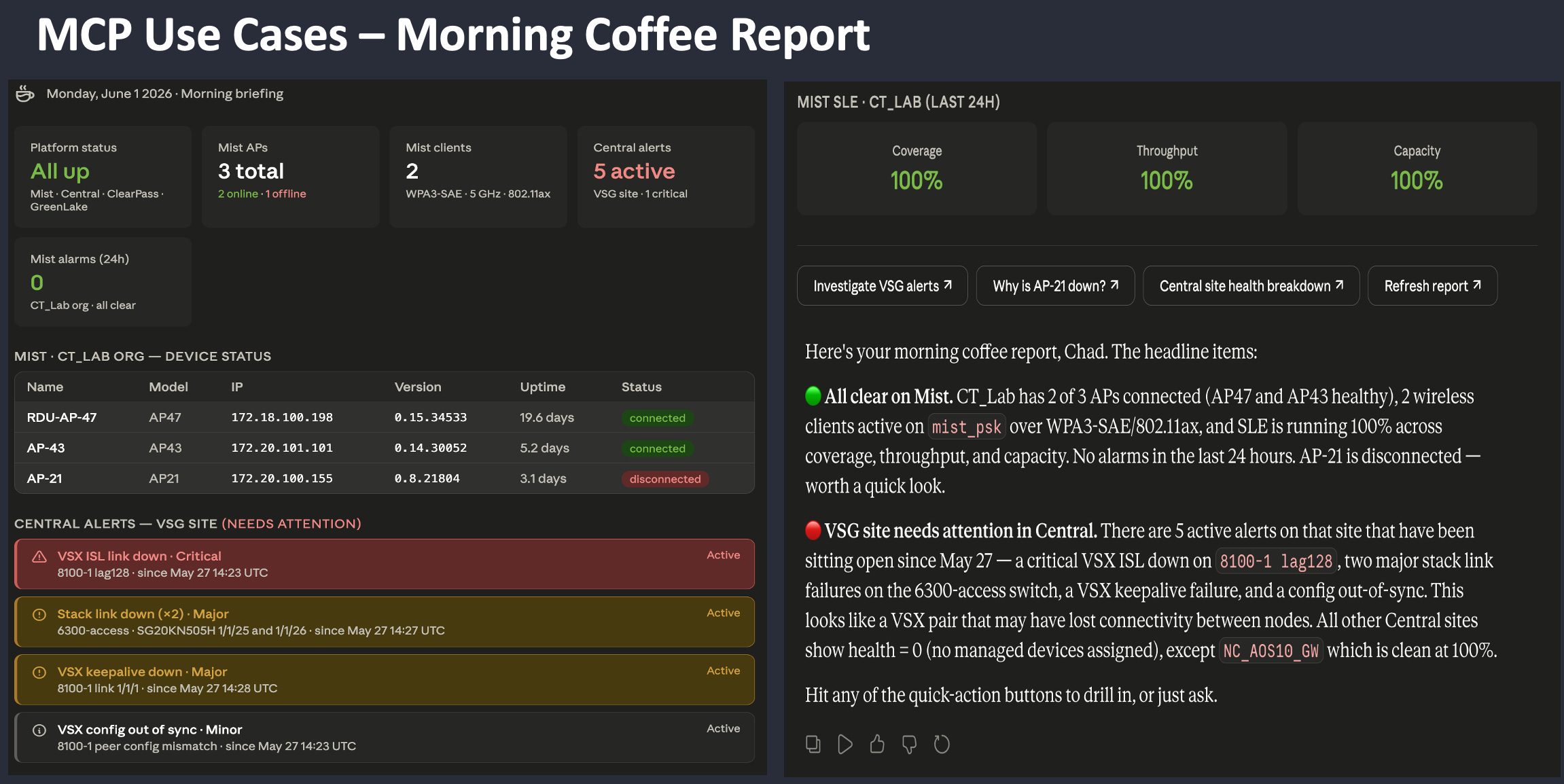
As you can see, I had a power outage, and a couple of my switches didn’t come back on, which caused my VSX ISL to go down. I also had a VSF stack member that did not boot. In a production environment, these would be critical issues that need to be addressed as soon as possible. The coffee report provides a summary of things that need to be looked at immediately.
The second use case I used in my presentation was the ability to run a WPA3 client readiness report that is based on the clients associated with my Mist and Aruba wireless infrastructure:
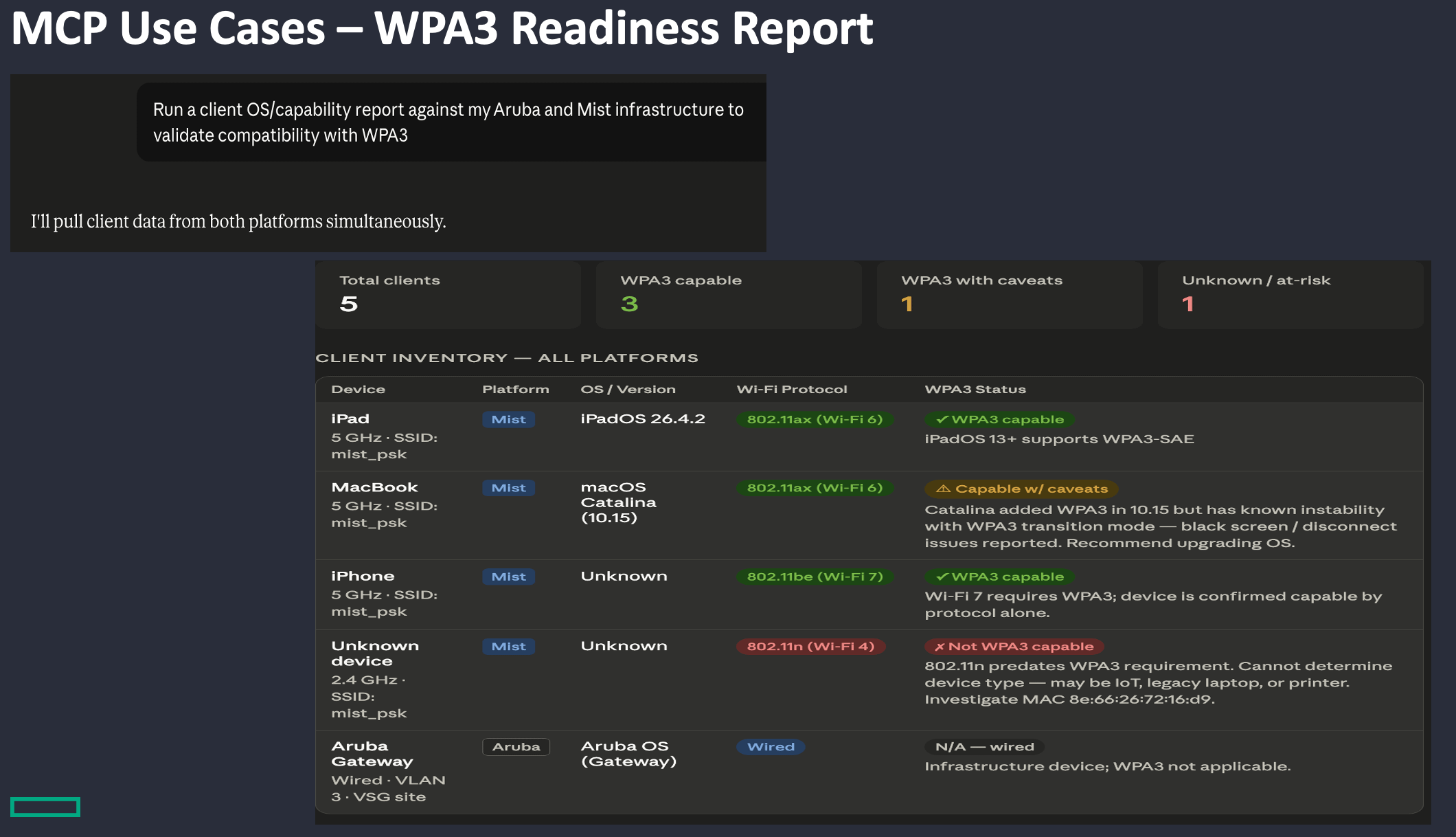
This is not a pre-canned skill, but MCP allows me to make natural-language requests to pull data from my systems and use it to make decisions. I wanted to point out an issue with this report. If you look closely at my client details, there is a macOS Catalina device listed. My MacBook is not running Catalina, but based on the fingerprint information, it has been incorrectly labeled. My machine is actually running Tahoe. These systems aren’t perfect, but this illustrates a way we can improve them. If I were running an MDM and managing my devices, that MDM would have more accurate information to reference for device profiling. Microsoft has MCP support for Intune, Entra, and various other systems. You could stack multiple MCP servers to provide better data, allowing the system to make more accurate decisions.
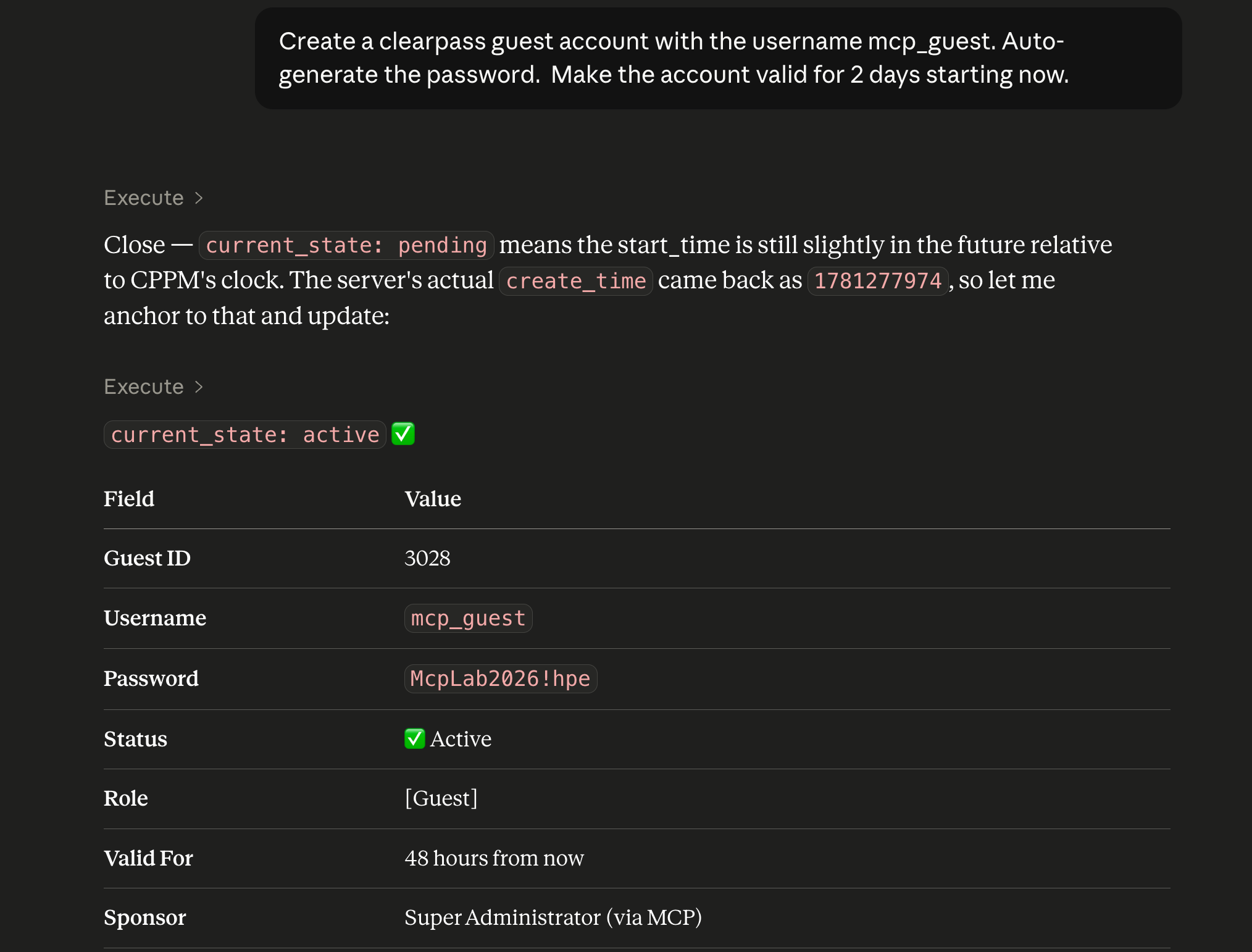
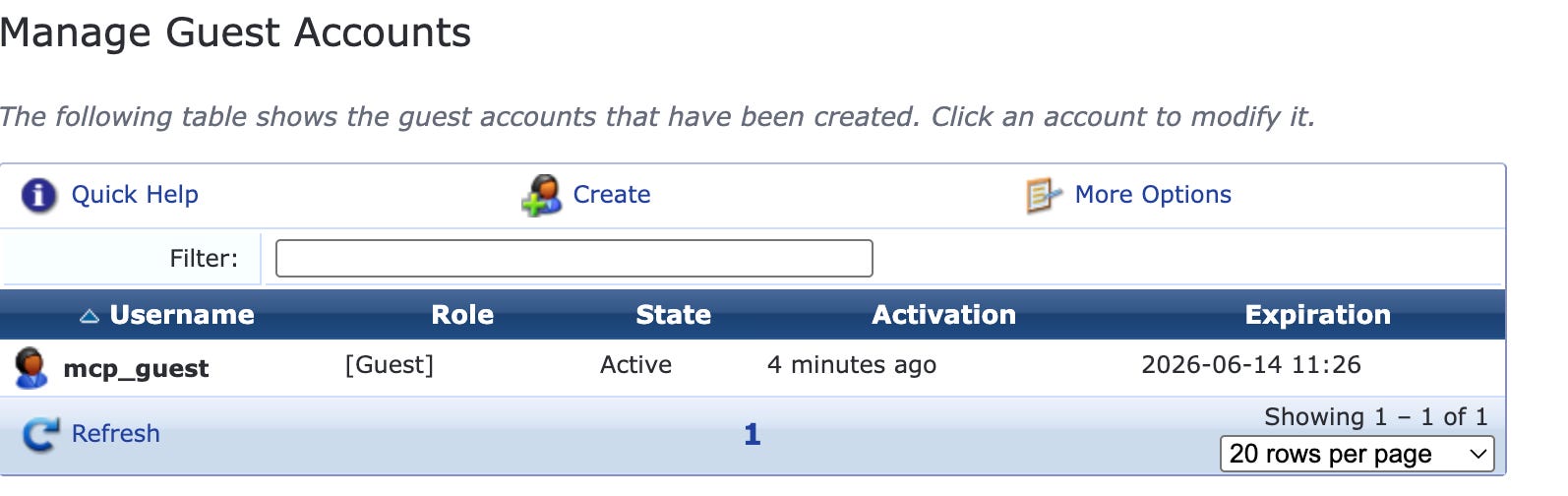
The last use case I want to highlight shows the LLM's ability to make changes if you allow it. I want a user to be able to create a Clearpass Guest account using natural language:
Here is a screenshot of the account that was created in CPPM:
With the power to make changes, we need to talk about the challenges of using MCP:
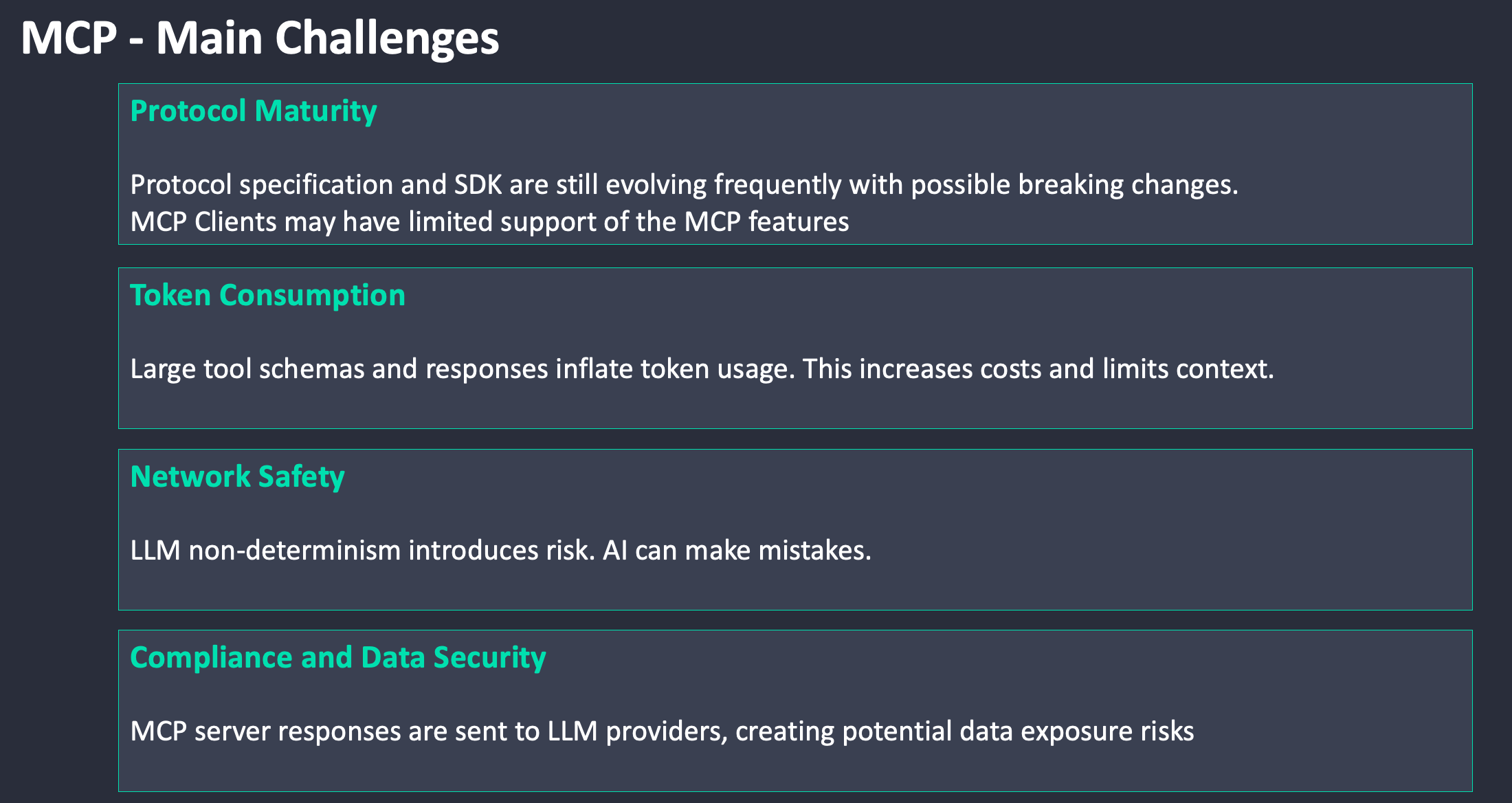
The first warning I want to give is that you should use only AI systems approved by your employer when connecting to production equipment. Information is being fed into the LLM, which poses a risk of data exposure. The second warning is that using a client like Claude Desktop with a public LLM like Sonnet consumes tokens. The third warning is that LLMs will make mistakes. Use the “write” ability with caution. Make sure you include the appropriate guardrails in your requests to limit what the LLM can do. The final warning is that the MCP standard is still evolving. If you get on YouTube, you will see that MCP is already dead. It's not dead, but the world of AI is ever-changing.
This is just the beginning. Over the summer, I have a number of lab activities I’m going to work on to deepen my understanding. Here is my list:
Integrate an MCP server with a model running locally in my lab
Train the local model with my “best practice” configurations
Integrate with third-party tools like Intune to bring in more client-level device context
Build my own MCP server from scratch to create my own skill, tools, and guardrails
I’m not even sure if any of this is possible, but I’m going to dig in and see what I can learn.
Takeaways:
If you have access to lab equipment, find your infrastructure provider’s corporate-sponsored MCP server implementation and connect up with read-only access. I’ll include some links at the bottom of the article. Load it up and start playing to see what is possible. All network manufacturers are creating Agentic AI systems, such as Mist Marvis, Aruba Networking Co-pilot, and Cisco Cloud Control. I’m sure these systems will all be great, but it’s fun to dig in and craft a system that meets your specific requirements.
Learn everyday…
Links to public MCP servers from network infrastructure providers:
HPE Aruba Networking Central MCP Server